Concepticon Pro
Build, generate, edit and share your knowledge faster.
What Pro adds that makes the difference.
What Pro actually is
Pro is everything that modifies a map inside Concepticon — creating maps, adding, editing and deleting propositions, renaming and removing concepts, writing concept descriptions — plus the AI features (map generation, description generation, document and URL import), plus saving changes back to your files. Reader is everything else: opening, viewing, navigating, sharing.
The proposition file is plain Markdown either way. Reader and Pro produce the
same .md files. There is no Pro-only format and no lock-in. A Reader
user can open any concept-description .md file in VS Code, Sublime,
Helix, vim — and Concepticon prompts a refresh when the file changes on disk.
Pro is the convenience-and-AI layer on top of a viewer that doesn't lock you
out of your own files.
In-app editing
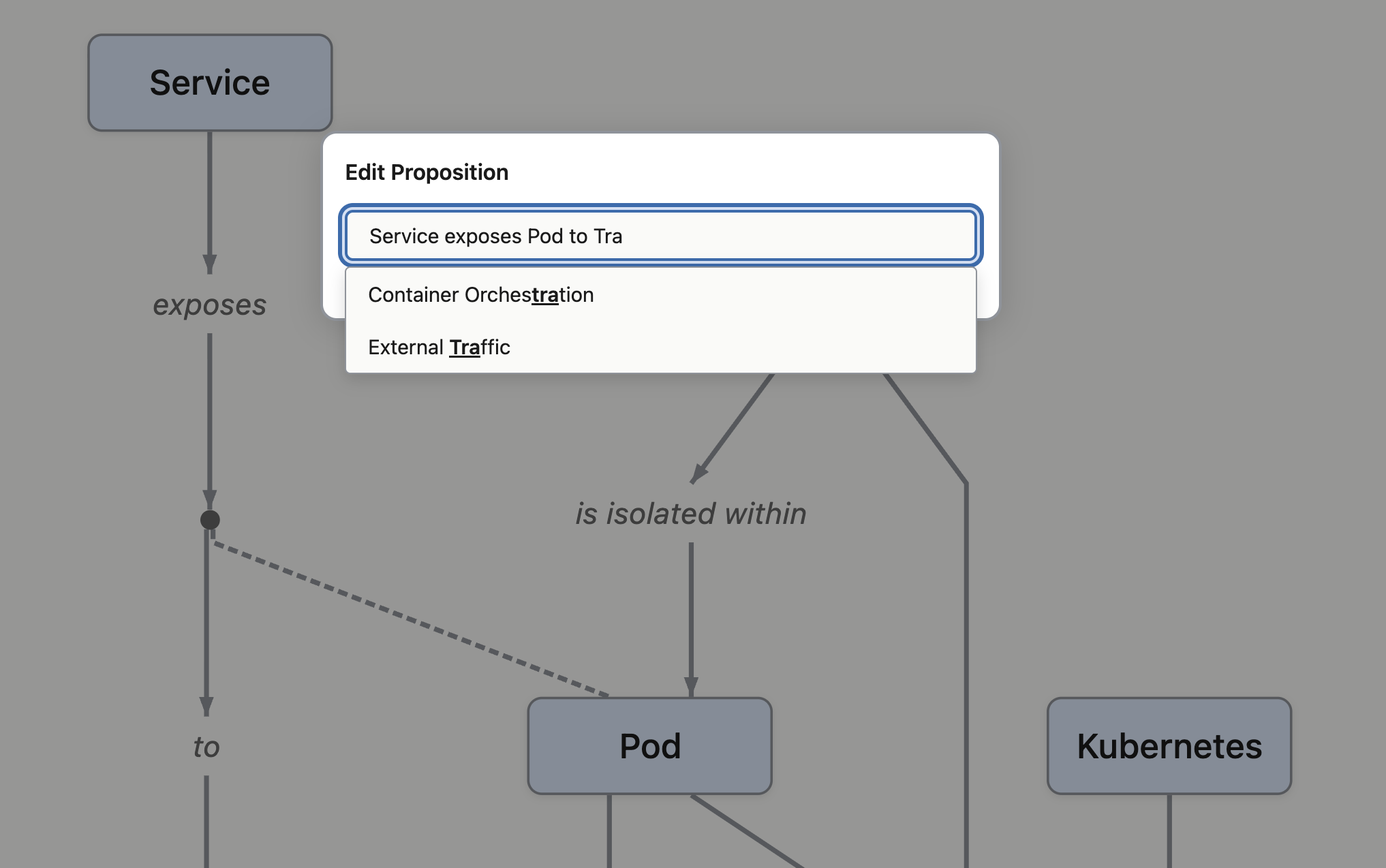
With Pro, every kind of edit lives inside the app. Hover over a proposition and click its edit icon to open the edit modal over the rendered map; autocomplete suggests existing concept names as you type so spellings stay consistent; the visualisation updates as you save. Add a new proposition, rename a concept, delete one, write a concept description — all from inside Concepticon.
The Reader equivalent is the file-system escape hatch: open
propositions.md in your text editor of choice, save, and
Concepticon prompts you to refresh the map to pick up the changes. That's a
real way to work and some people will prefer it. Pro adds the in-app workflow
when you want keystroke-fast iteration with the visualisation moving in
front of you.
The .md proposition file on disk is the source of truth either
way. Pro doesn't change the format, doesn't lock the file, and doesn't move
anything to a server.
AI map generation, from text, a file or a URL
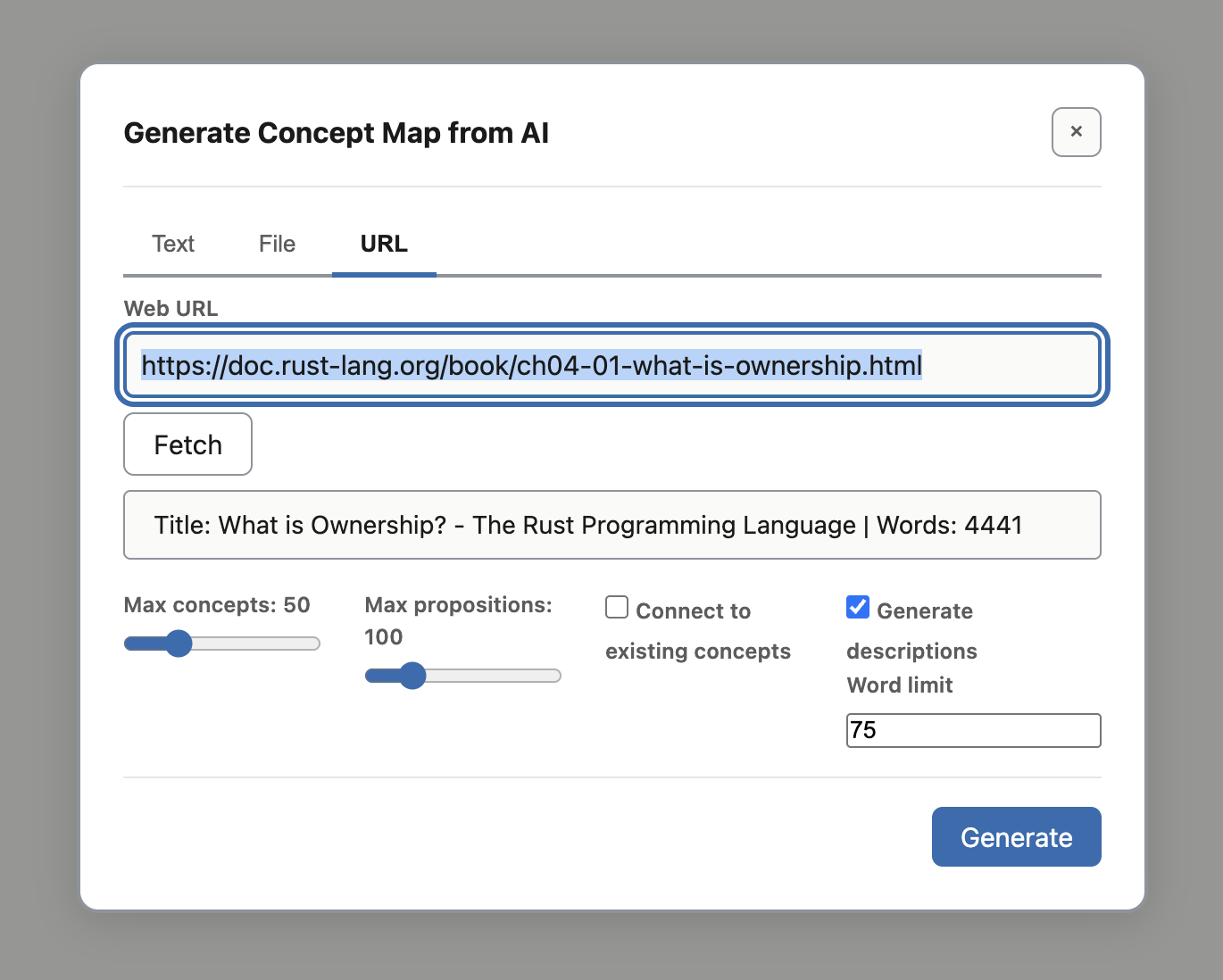
Give Concepticon some source material and it will generate propositions for you. One dialog, three input modes:
- Text — paste content directly.
- File — select a PDF, PowerPoint, Markdown or plain-text file; Concepticon extracts the text content first.
- URL — paste a web URL; Concepticon fetches the page and extracts the main content, stripping nav, ads and footers.
You set how many concepts and propositions you want, decide whether to connect them to concepts already in your map, and whether to generate descriptions at the same time.
Approve before it lands
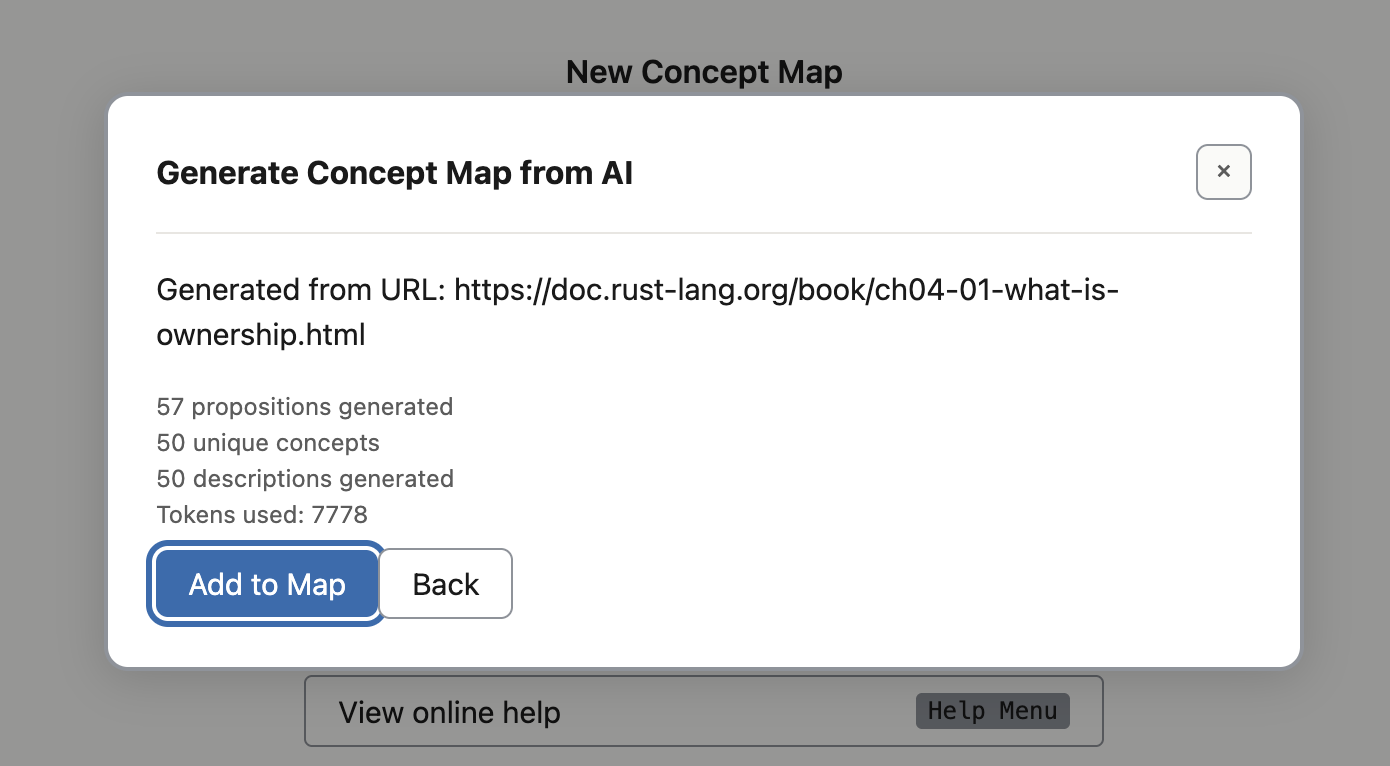
After generation, Concepticon shows a summary: how many propositions it produced, how many unique concepts they cover, how many descriptions were written, and the tokens used. You click Add to Map to merge them into the current map, or Back to discard and try again with different settings — fewer concepts, a different source, a different model.
A map you can read
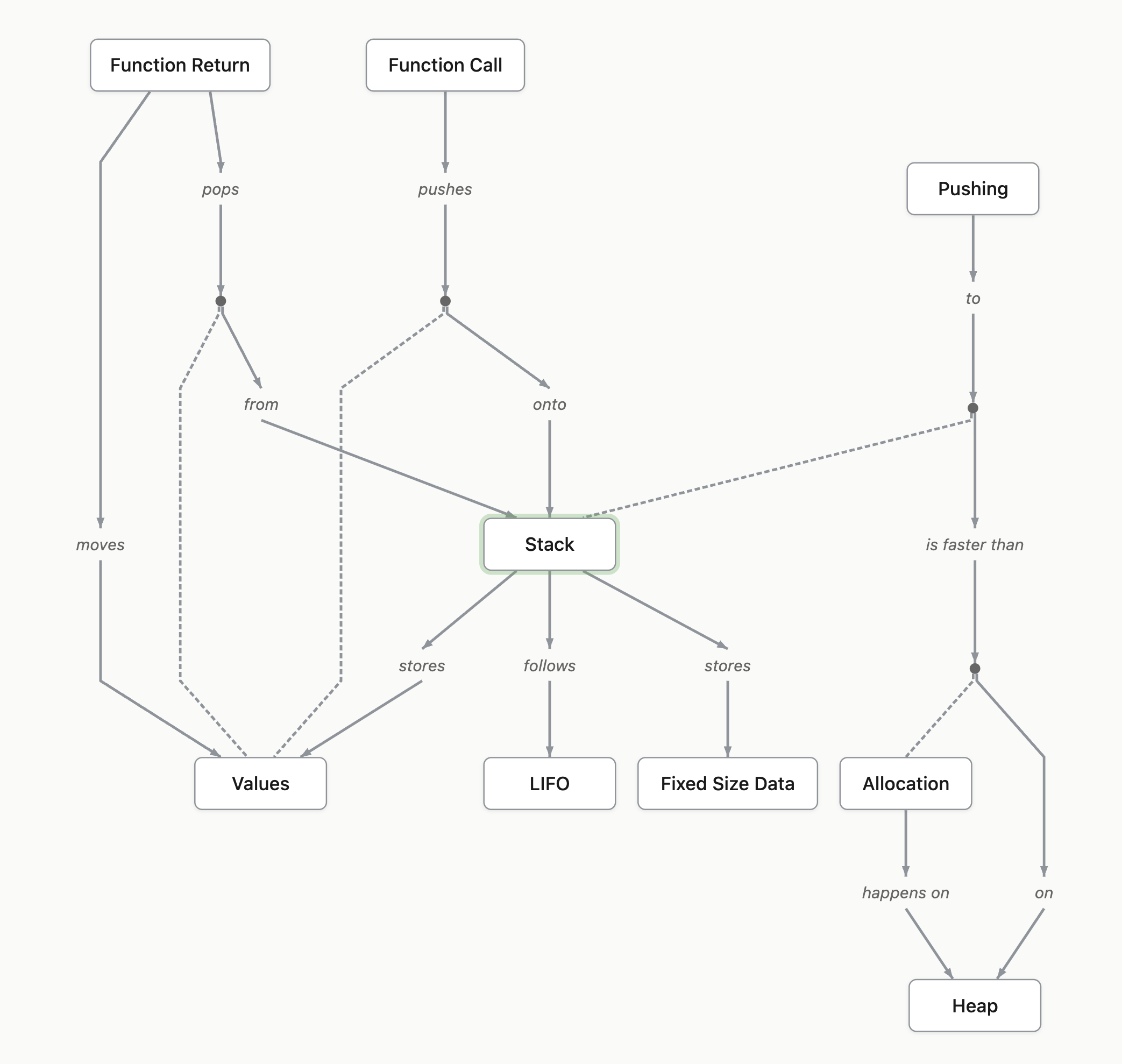
The generated propositions render as the same kind of graph any hand-written map produces. Use focus view to zoom in on a single concept and its neighbours, or pan around the whole structure to see the shape of what the source material covers.
Your AI provider, your model, your costs
Pro calls the AI provider you configure. Ollama or LM Studio if you run a model locally; OpenAI or Anthropic if you want a cloud model. Within a provider, you choose which model to use. API costs are billed by the provider to your own account — we don't middle-tier or mark up the calls. API keys are encrypted in your local Concepticon settings via your operating system's secure storage, and never leave your machine.
AI concept descriptions
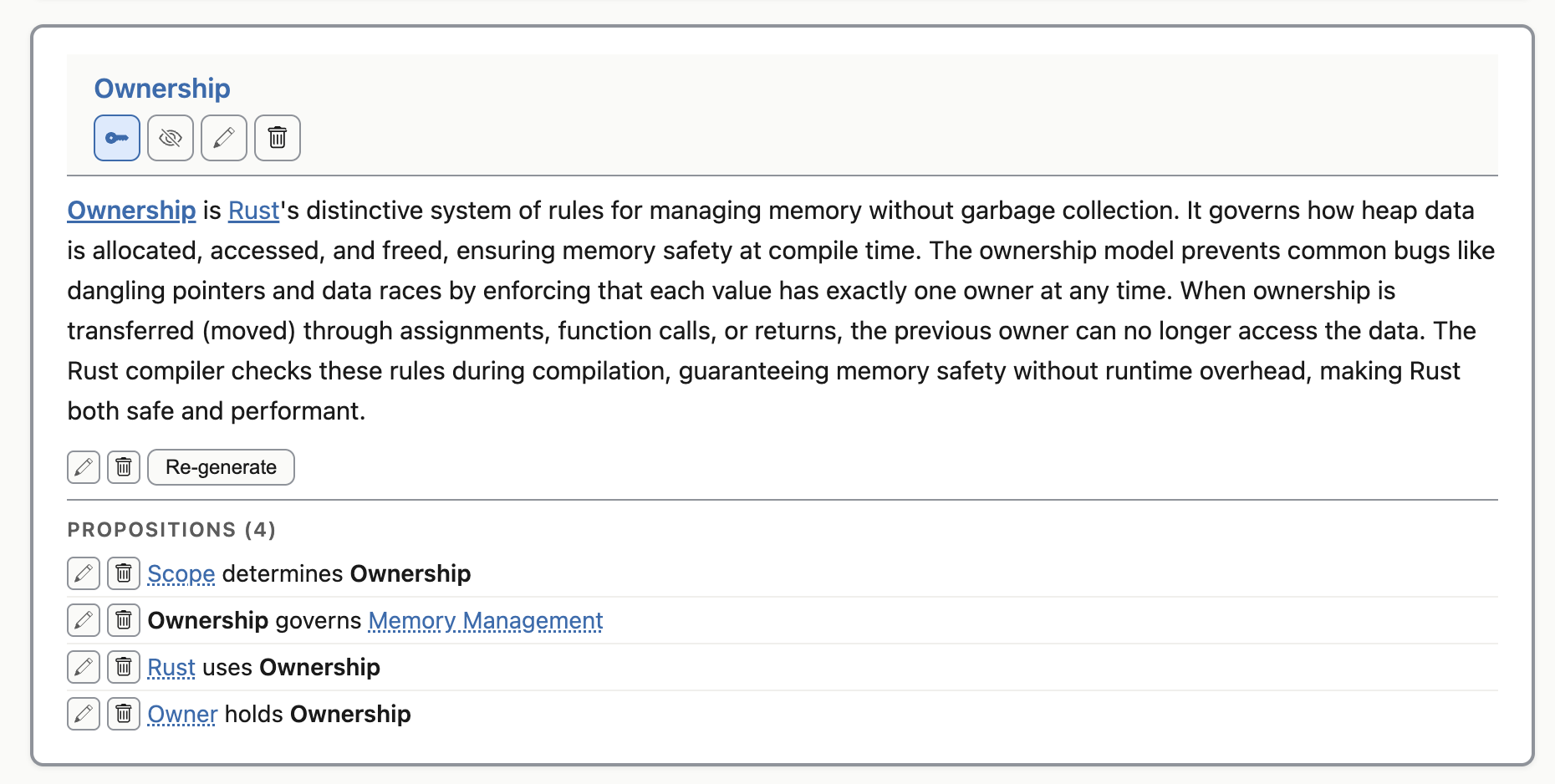
A concept map answers "how do these things relate?". A concept's description answers "what is this thing?" — for a new team member, for an AI coding agent reading the map for context, or for yourself returning to a domain six months later.
Every concept can carry a Markdown description, stored as its own
.md file in a sibling concepts/ directory. Pro
generates descriptions automatically by feeding the surrounding propositions
to your AI provider, and renders them inside the concept card alongside the
propositions that mention the concept.
Editable Markdown, in any editor
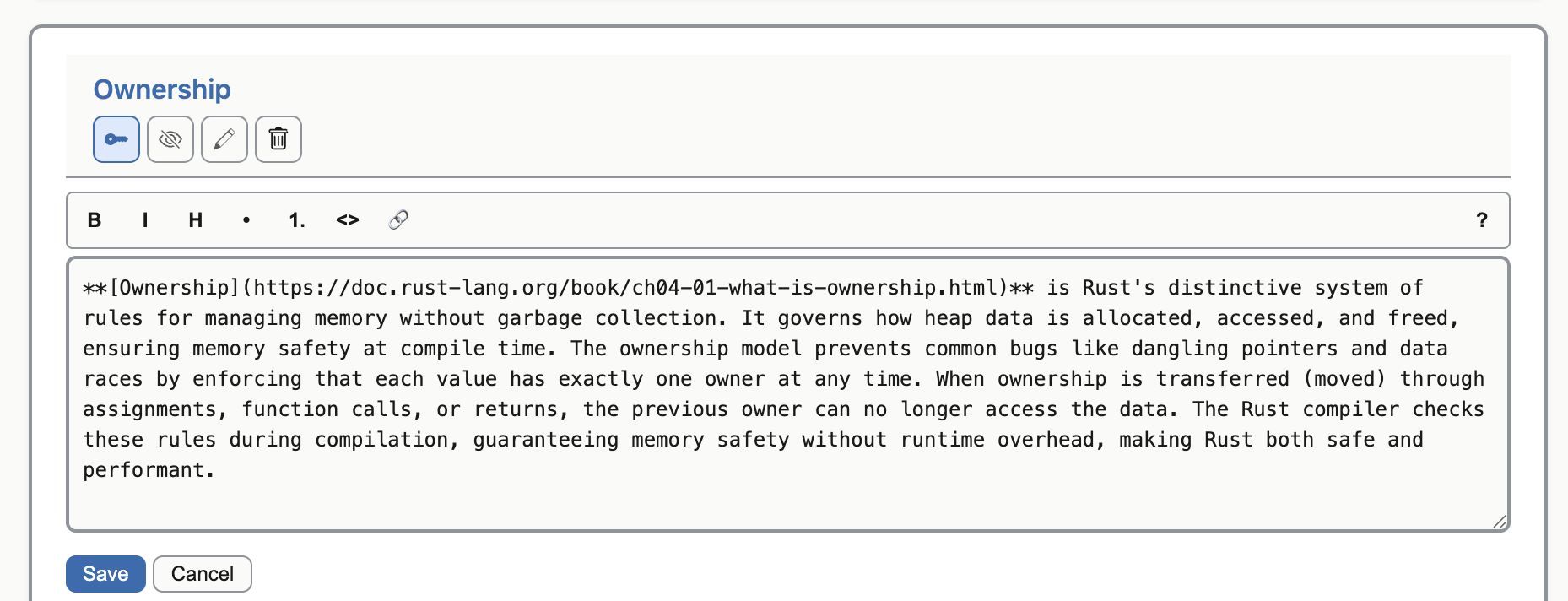
The generated description is plain Markdown. Pro adds the in-app description editor with a formatting toolbar; the file on disk is the same Markdown either way. Open it in VS Code or any other editor if you'd rather work there — your description is still yours.
What Reader gives you (free)
Concepticon Reader is free, perpetual, no account, no email. It opens, renders and navigates any concept map someone gives you — your own files, or one a Pro user has shared — with the full view-mode toolset: search, focus view, the complexity slider, key-concept highlighting, snapshots.
The proposition format is the same as Pro's. There is no Pro-only file format
that locks you in. Reader does not save changes through Concepticon — the
plain-text escape hatch is your text editor on the .md file
directly, and Concepticon prompts you to refresh the map when it picks up the
changes on disk. Reader is the viewer plus the file-system escape hatch; Pro is
the in-app workshop on top.
What you get when you buy Pro
- Perpetual licence. Pay once, and the version of Pro you bought is yours.
- All v1.x updates included. Future major versions may be a separate purchase — the version you have keeps working.
- No subscription, no recurring charge.
- Plain Markdown forever. If we ever go away, your files don't.
Frequently asked questions
- Can I edit my propositions outside Concepticon?
- Yes — with both Reader and Pro. The proposition file is a Markdown file you can open in any text editor (VS Code, Sublime, Helix, vim, anything). Pro adds the in-app editor; the file format is identical either way.
- What AI models does Concepticon use? Do I pay for API costs?
- Pro calls AI providers you configure — Ollama or LM Studio if you run a model locally; OpenAI or Anthropic if you want a cloud model. Within a provider, you choose which model to use. API costs are billed to your own account with the provider; we don't mark up or middle-tier the calls. API keys are encrypted in your local Concepticon settings via your operating system's secure storage, and we never store them on a server.
- Can I share a Pro-created map with Reader users?
- Yes. Both versions use the same Markdown proposition file format. A Pro user can save the map and send the file — or a Save-As-Bundle archive that includes the concept descriptions — and Reader users open it natively. No account, no purchase, no email needed on the recipient's side.
- What's the refund policy?
- 14-day refund window. If Concepticon Pro isn't right for you, request a refund within 14 days of purchase.
Build, generate, edit and share your knowledge faster.
Concepticon Pro is $50 USD, once. No subscription, no recurring charge.