Concepticon
You might think your team has a ubiquitous language. You might want to check.
A concept map isn't a single diagram, it's any diagram you need, just when you need it. Concepticon turns plain-text propositions about your team's domain into a graph you can navigate at the size you can grok. Files stay on your disk, in plain text any editor — or any AI agent — can read.
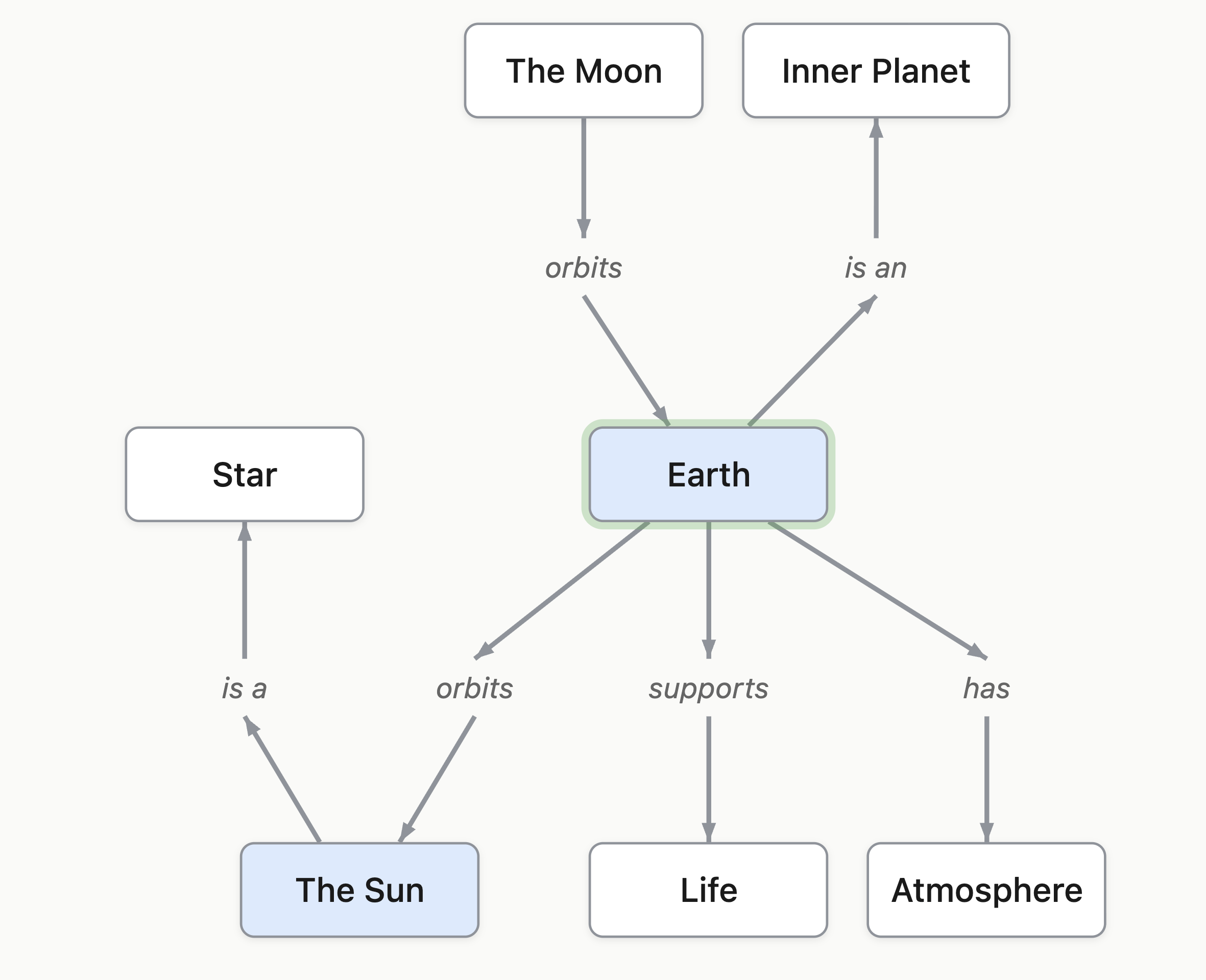
Everything you need to map your team's domain
Plain-text propositions in. An interactive graph out. AI assistance when you want it, driven by your own API key.
-
Plain Text Propositions
Write concept relationships in plain English ("Dog chases Cat"). No special syntax to learn — just words connected by words.
-
Visual Graph Rendering
Propositions become an interactive force-directed graph. Pan, zoom, and explore your concept map with full mouse and keyboard support.
-
AI-Assisted Generation
Bring your own API key — Claude or GPT. Point the AI at a PDF, a web page, or a topic description; propositions come back for you to review and refine.
-
Fully Keyboard Accessible
Every feature is reachable without a mouse. Screen reader compatible. Designed by a legally blind developer who uses it daily.
-
Works with Any Text Editor
Your proposition files are plain Markdown. Edit them in VS Code, Vim, Obsidian, or Notepad — Concepticon picks up changes automatically.
-
Rich Concept Descriptions
Each concept can have a full Markdown description in a sibling file. View rendered descriptions as you navigate the map.
-
Focus Views
Zoom into a subgraph around any concept to reduce clutter. Explore neighbourhoods without losing the bigger picture.
-
Import from Documents
Generate concept maps from PDFs, PowerPoint presentations, and web pages. The AI extracts key concepts and relationships for you.
-
Private by Default
Runs entirely on your machine. API keys are encrypted with OS-level secure storage. No telemetry, no cloud required.
How it works
-
Write propositions
Write relationships between concepts in plain text. Each line is a proposition: two or more concepts connected by a plain English phrase. Use any text editor, or — in Pro — create and edit propositions directly inside Concepticon.
Customer places Order Order contains Line Item Line Item references Product Product belongs to Catalogue -
Open in Concepticon
Point Concepticon at your propositions file. It reads the file and renders an interactive graph with automatic layout. Save the file and the graph updates instantly.
-
Explore and refine
Pan and zoom the graph, click concepts to read their descriptions, use focus view to explore a neighbourhood, and add AI-generated propositions from documents or web pages.
-
Build snapshots
Curate views of your map for onboarding new team members into the core concepts of your team's ubiquitous language. A new colleague — or a new AI agent — can self-serve their way into your domain in minutes. Snapshots can be defined in Pro, or hand-edited in any text editor.
The proposition format
Propositions follow a simple rule: one or more Concept Phrases connected by lowercase linking phrases. Concepts start with uppercase letters; linking phrases are lowercase.
- Consecutive uppercase-starting words form a single concept (
Harry Potter,General Relativity) - A lowercase word starts a linking phrase and ends the previous concept
- Concepts can contain letters, digits, periods, and apostrophes (
F.B.I.,O'Connor)
Valid propositions
Dog chases Cat
Harry Potter attends Hogwarts
Claude Code applies AI to Software Development
F.B.I. investigates Organised Crime
Michael O'Connor lives in Dublin
Reader is free. Pro is $50 USD, once.
Anyone you share a map with can view it for free in Concepticon Reader — no purchase, no account, no email. Concepticon Pro adds the in-app editor: write propositions directly, generate concept maps from documents and URLs using the AI of your choice, add rich concept descriptions, and save changes back to your files. One $50 USD payment for v1.x; no subscription.